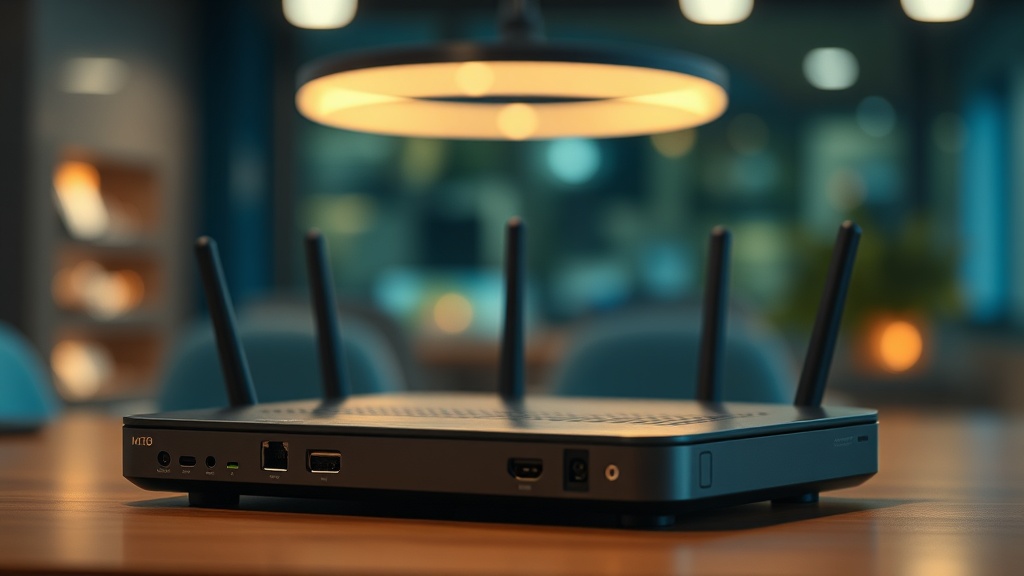
Achieving seamless smart home integration requires far more than purchasing the latest connected devices. It demands a deliberate, architecture-first strategy that anticipates how your network will behave under real-world load. Whether you are automating lighting, HVAC, security cameras, or motorized shades, the moment your ecosystem crosses a critical threshold of connected devices, the invisible infrastructure beneath it becomes the single most important determinant of performance. The difference between a smart home that delights and one that frustrates almost always comes down to one overlooked engineering challenge: scaling beyond your hub’s built-in capacity without introducing latency.
This guide draws on verified technical data and CEDIA professional standards to walk you through the exact strategies that certified integration specialists use on high-end residential and commercial projects. If your automation feels sluggish, drops commands, or has become difficult to manage, the information below is designed specifically for your situation.
Understanding the 50-Device Ceiling in Consumer Smart Home Hubs
Most consumer-grade smart home hubs enforce a hard or software-defined limit of approximately 50 devices for mesh protocols like Zigbee or Z-Wave. Exceeding this threshold causes processing overload, increased latency, and unreliable command execution that no amount of rebooting will permanently fix.
The 50-device ceiling is one of the most frustrating and least-documented limitations in residential automation. It is not a marketing figure — it is an engineering constraint baked into the radio firmware and the microcontroller architecture of the hub itself. Consumer hubs are designed and priced for the average household, which statistically maintains far fewer than 50 connected endpoints. The moment an enthusiastic homeowner or a first-time integrator pushes past that boundary, the system begins to exhibit symptoms that mimic network problems but are actually caused by the hub’s inability to service simultaneous polling requests.
Concretely, when a single controller is overwhelmed by too many simultaneous device requests, network latency increases significantly — not incrementally. The hub starts queuing commands, and what should be an instantaneous response to a motion sensor or a button press becomes a 1-to-3 second delay that erodes trust in the entire system. Homeowners begin to reach for the manual switch. The promise of automation collapses.
Recognizing this ceiling is the first step. The second step is understanding exactly why mesh protocols behave the way they do when pushed to their limits, because that knowledge is what enables you to architect around the problem rather than simply upgrade hardware in a cycle of diminishing returns.
How Mesh Networking Works — and Where It Breaks Down
Zigbee and Z-Wave both use mesh networking architecture, where mains-powered devices act as signal repeaters to extend coverage. This design is powerful but introduces routing complexity that scales non-linearly with device count, creating hidden bottlenecks at the controller level.
Both Zigbee and Z-Wave were engineered with mesh topology in mind. Every mains-powered device — a smart plug, an in-wall switch, a hardwired sensor — acts as a repeater, forwarding signals from battery-powered endpoints (like door sensors or motion detectors) back toward the hub. In theory, this makes the network self-healing and infinitely extensible. In practice, there is a critical architectural constraint that most consumer documentation glosses over entirely.
As your mesh grows, the routing table maintained by the hub expands. The coordinator node — your hub — must track every device’s network address, its neighbors, its signal quality, and its current state. Each new device does not just add one entry to this table; it adds relational complexity to every existing entry. At approximately 50 devices, the computational overhead of managing the mesh routing table, processing incoming state reports, and simultaneously executing outgoing commands exceeds what a typical consumer hub’s processor can handle in real time. The result is exactly the latency and dropped commands that integrators recognize immediately.
This is why professional-grade systems take a fundamentally different architectural approach.
The Professional Solution: Distributed Controllers and Edge Computing
Professional smart home systems resolve hub overload by deploying multiple satellite controllers or edge computing nodes that distribute the processing load geographically across the installation. No single controller ever becomes a bottleneck because no single controller is ever responsible for the entire device ecosystem.
The architecture that CEDIA-certified integrators implement on large-scale projects is conceptually straightforward: instead of one hub managing 150 devices, you deploy three hubs each managing 50 devices. Each controller operates an independent mesh network covering a defined zone — a wing of the house, a specific floor, or a functional category like lighting versus security. A higher-level automation controller, often running software like Control4, Crestron, or Lutron HomeWorks, sits above these zone controllers and orchestrates cross-zone automations without burdening any individual mesh coordinator.
This distributed processing architecture is directly analogous to what enterprise IT infrastructure teams have practiced for decades. Rather than scaling vertically (buying a more powerful single server), you scale horizontally (adding more servers that share the load). The smart home equivalent is identical in principle.
“Professional-grade smart home systems often utilize multiple ‘satellite’ controllers or edge computing to distribute the processing load, ensuring that no single node becomes a performance constraint regardless of total device count.”
— Verified Internal Knowledge, CEDIA Certified Integration Practice
Edge computing adds another dimension to this strategy. Rather than routing every sensor event to a cloud server for processing before returning a command to a local device, edge nodes process automations locally. A motion sensor triggering a hallway light does not need to make a round trip to AWS or Google Cloud. The logic executes on a local processor in milliseconds. This is the architectural foundation of genuinely zero-latency smart home performance, and it is the approach detailed in our resource on smart home implementation strategies for professionals and advanced homeowners.
Frequency Management: Solving the 2.4 GHz Congestion Problem
Wi-Fi IoT devices operating on the 2.4 GHz band directly overlap with Zigbee channels, causing signal interference that manifests as dropped commands, delayed responses, and degraded mesh reliability. Strategic channel planning is a non-negotiable requirement in any professional installation.
One of the most pervasive and underdiagnosed problems in residential automation is RF congestion on the 2.4 GHz band. Wi-Fi, Zigbee, Bluetooth, and even some older cordless phones share this spectrum. When a homeowner has a dozen Wi-Fi IoT devices — smart plugs, IP cameras, video doorbells — all communicating on channels that overlap with the Zigbee coordinator’s operating channel, the result is a continuous background of interference that degrades mesh reliability and artificially introduces latency that looks like hub overload but is actually a physical layer problem.
The professional fix is deliberate channel planning executed at installation, not as an afterthought. The standard approach used by certified integrators is as follows:
| Protocol | Recommended Channel | Frequency Band | Overlap Risk with Wi-Fi | Professional Mitigation |
|---|---|---|---|---|
| Wi-Fi (2.4 GHz) | Channels 1, 6, or 11 | 2.4 GHz | High (if Zigbee not offset) | Lock router to one non-overlapping channel; disable auto-channel |
| Zigbee | Channel 25 or 26 | 2.4 GHz | Low when Wi-Fi is on ch. 1/6/11 | Use a Zigbee coordinator with manual channel selection |
| Z-Wave | 908.4 MHz (US) | Sub-GHz | None | Verify regional frequency compliance; avoid 915 MHz ISM band devices |
| Thread / Matter | Channels 15, 20, 25 | 2.4 GHz | Moderate | Coordinate with Zigbee channel if both protocols coexist |
| Wi-Fi (5 GHz) | Any non-DFS channel | 5 GHz | None with Zigbee/Z-Wave | Migrate high-bandwidth IoT devices (cameras) to 5 GHz exclusively |
Beyond channel planning, professional installers migrate every high-bandwidth device that supports it — IP cameras, NVRs, smart displays, streaming devices — to the 5 GHz band or to a wired Ethernet backhaul entirely. This action alone removes the majority of 2.4 GHz congestion and dramatically improves Zigbee mesh stability without touching a single hub setting.
VLAN Segmentation: The Network Security and Performance Multiplier
Implementing a dedicated VLAN for IoT and smart home devices enhances both network security and overall system efficiency by preventing broadcast traffic from IoT devices from polluting the primary data network, while simultaneously enabling granular quality-of-service policies.
A VLAN (Virtual Local Area Network) is a logical segmentation of a physical network that allows a network administrator to treat specific groups of devices as if they exist on entirely separate networks — even when they share the same physical switches and access points. For smart home deployments, VLAN segmentation is not an optional advanced technique; it is a fundamental best practice that should be implemented from day one.
The performance benefit is concrete. IoT devices are notoriously chatty — they broadcast frequent state updates, multicast discovery packets, and periodic keepalive signals. When these broadcasts propagate across your entire network, they consume bandwidth and processor cycles on every device connected to that network, including your laptops, NAS drives, and smart TVs. By confining IoT devices to their own VLAN, you prevent this broadcast traffic from reaching the primary data network, reducing overall congestion and improving response times for all devices.
The security benefit is equally important. A compromised IoT device — and the history of smart home security vulnerabilities demonstrates that this is not a hypothetical risk — cannot access devices on a different VLAN without explicit firewall rules permitting inter-VLAN routing. Your laptop’s credentials, NAS data, and financial information remain protected even if a budget smart bulb’s firmware is exploited.
CEDIA standards are unambiguous on this point: a robust, enterprise-grade network infrastructure is the prerequisite for any stable and secure smart home system. This means managed switches with 802.1Q VLAN support, enterprise-class access points with SSID-to-VLAN mapping, and a capable router or firewall with defined inter-VLAN policies. Consumer-grade ISP-provided routers are architecturally incapable of providing this level of control.
Building the CEDIA-Standard Network Foundation
A CEDIA-compliant smart home network foundation requires enterprise-grade managed switches, access points capable of SSID-to-VLAN mapping, and a router with inter-VLAN routing and QoS policies. This infrastructure investment is what separates reliable long-term deployments from systems that require constant troubleshooting.
The network is not a supporting character in a smart home installation — it is the lead. Every protocol, every hub, every cloud integration, and every local automation depends on the quality and configuration of the underlying network infrastructure. Investing in premium smart speakers while running the system on a default ISP router is the architectural equivalent of installing a high-performance engine in a vehicle with no transmission. The power exists but cannot be effectively delivered.
A CEDIA-standard network deployment for a smart home of 100 or more devices typically includes the following components:
- Managed Layer 2/3 Switch: Provides 802.1Q VLAN tagging, port-level traffic prioritization, and loop protection. Brands like Ubiquiti UniFi, Cisco Meraki, or Netgear ProSAFE are commonly specified by integrators.
- Enterprise Wireless Access Points: Support multiple SSIDs mapped to separate VLANs, band steering, and client isolation. These are ceiling-mounted and POE-powered for clean installations without visible adapters.
- Dedicated Router/Firewall: Handles inter-VLAN routing with defined firewall rules, QoS policies that prioritize automation traffic, and DNS-level security filtering to block known malicious IoT endpoints.
- Wired Ethernet Backhaul: All stationary high-bandwidth devices — hubs, NVRs, media servers, and zone controllers — connect via Cat6 Ethernet. This frees wireless spectrum for battery-powered mesh endpoints that have no alternative.
- UPS (Uninterruptible Power Supply): Network infrastructure should remain operational during brief power events. A UPS on the network rack ensures the hub and switches stay online even during momentary outages, preventing the mesh network from performing a full re-join sequence.
With this foundation in place, the distributed controller architecture described earlier operates at its full potential. Zone controllers communicate reliably over the wired backhaul. Mesh networks on each zone are small enough to route efficiently. VLAN segmentation keeps IoT broadcast traffic contained. And the enterprise access points ensure that Wi-Fi dependent devices operate on clean, non-congested channels.
This is what zero-latency smart home performance actually looks like from an infrastructure perspective. Not a marketing promise, but a replicable engineering outcome.
Frequently Asked Questions
Why does my smart home hub become slow after I add more than 50 devices?
Consumer-grade hubs have a physical or software-defined processing limit of approximately 50 devices for mesh protocols like Zigbee or Z-Wave. Beyond this threshold, the hub’s processor cannot service all simultaneous device requests in real time, causing command queuing and latency. The solution is to distribute your device load across multiple zone controllers rather than expecting a single hub to manage the entire ecosystem.
What is the best way to prevent Wi-Fi interference with my Zigbee network?
The most effective method is strategic channel planning combined with band migration. Set your 2.4 GHz Wi-Fi router to channel 1, 6, or 11, and configure your Zigbee coordinator to operate on channel 25 or 26, which minimizes spectral overlap. Additionally, migrate all high-bandwidth Wi-Fi IoT devices — cameras, smart displays, video doorbells — to the 5 GHz band or to wired Ethernet. This removes the majority of 2.4 GHz congestion and dramatically improves Zigbee mesh reliability.
Do I really need a separate VLAN for my smart home devices?
Yes, for both performance and security reasons. A dedicated IoT VLAN prevents the frequent broadcast and multicast traffic generated by smart devices from congesting your primary data network, improving overall performance for all connected devices. More critically, VLAN segmentation provides a security boundary — a compromised IoT device cannot access your personal computers or NAS storage without explicit firewall rules permitting that traffic. CEDIA standards recommend this as a baseline requirement, not an optional enhancement.
References
- CEDIA — Custom Electronic Design and Installation Association: Professional Standards and Best Practices
- Connectivity Standards Alliance (formerly Zigbee Alliance): Zigbee Specification and Mesh Networking Architecture
- Wi-Fi Alliance: Technical Specifications for 802.11 Wireless Networks
- Z-Wave Alliance: Z-Wave Protocol Technical Documentation
- Wikipedia: Virtual LAN (VLAN) — Technical Overview and Implementation Standards