A premium smart air purifier is only as intelligent as the sensor data feeding its automation logic. When a PM2.5 sensor — a device engineered to detect fine particulate matter at or below 2.5 micrometers in diameter — becomes stuck, miscalibrated, or produces a frozen reading, your entire smart home’s air quality response chain breaks down. As a CEDIA Certified Professional Designer with over a decade of deploying integrated environmental control systems, I can tell you that this is one of the most underdiagnosed failures in high-end residential installations. The fix is methodical, and when done correctly, it restores your system to factory-grade precision. This guide walks you through every professional step.
Why PM2.5 Sensors Get “Stuck” in Smart Air Purifiers
PM2.5 sensors become stuck primarily due to dust contamination on the optical lens, high humidity interference, or corrupted baseline voltage data — all of which cause the sensor’s laser scattering module to produce inaccurate or frozen readings that disrupt smart home automation logic.
To understand why sensors fail, you first need to understand how they work. Most professional-grade smart air purifiers rely on laser-based light scattering technology, where a focused laser beam passes through an air sampling chamber. When fine particles pass through the beam, they scatter light at measurable angles, and the sensor’s photodetector converts that scatter intensity into a real-time PM2.5 concentration value. This is the industry standard for smart home integration because it offers both speed and sensitivity far beyond older infrared sensor designs.
The problem is that this optical precision is also the sensor’s greatest vulnerability. According to verified industry knowledge, dust accumulation on the sensor’s optical lens is the single most common reason for inaccurate or “stuck” PM2.5 readings in residential deployments. A thin layer of particulate matter on the lens distorts the scatter pattern, causing the microprocessor to report an artificially elevated, deflated, or completely static value — even when real air quality is changing dramatically.
A second, frequently overlooked culprit is ambient humidity. In high-moisture environments — near kitchen steam, bathroom exhaust zones, or in humid climates — water droplets suspended in the air sample can be misidentified by the photodetector as solid particulate matter. This causes the sensor to report phantom PM2.5 spikes. Over time, repeated moisture exposure can also cause condensation inside the sensor housing itself, which permanently distorts the calibration baseline. This is why CEDIA installation standards strongly advise against placing air purification units in rooms where relative humidity regularly exceeds 65%.
Finally, sensors can fail at the software level. After extended operation, the internal microcontroller’s reference voltage for the laser diode can drift from its factory-set baseline. When this happens, even a physically clean, perfectly dry sensor will consistently misreport air quality. This is the scenario that demands a full software-level factory reset — not just a physical cleaning.
Diagnosing a Stuck PM2.5 Sensor Before You Reset
Before initiating a factory reset, diagnose whether the sensor fault is physical (contamination or moisture) or electronic (firmware or voltage drift) by comparing live sensor readings against a calibrated reference device and inspecting the sensor intake for visible debris.
Professional diagnosis begins with observation. Pull up your purifier’s companion app or smart home dashboard and monitor the PM2.5 reading over a 10-minute period in a controlled environment. A genuinely stuck sensor will display one of three signatures: a perfectly static number that never fluctuates even slightly, a reading that is implausibly high (often over 200 µg/m³) in a clean room, or a reading of zero that does not respond when you hold a burning incense stick near the intake.
Compare that reading against a secondary reference device — a standalone air quality monitor placed within one meter of the purifier. If the reference device shows dynamic, realistic air quality values while the purifier’s internal sensor remains frozen, the fault is almost certainly localized to the sensor itself. If both devices show similarly erratic readings, the problem may be environmental rather than hardware-specific.
Physically inspect the sensor intake port. On most premium units, this is a small louvered vent on the side or bottom of the unit. Using a flashlight, look for visible dust accumulation, debris blockage, or white mineral deposits from moisture evaporation. Any of these findings confirm that a physical cleaning must precede the software reset.
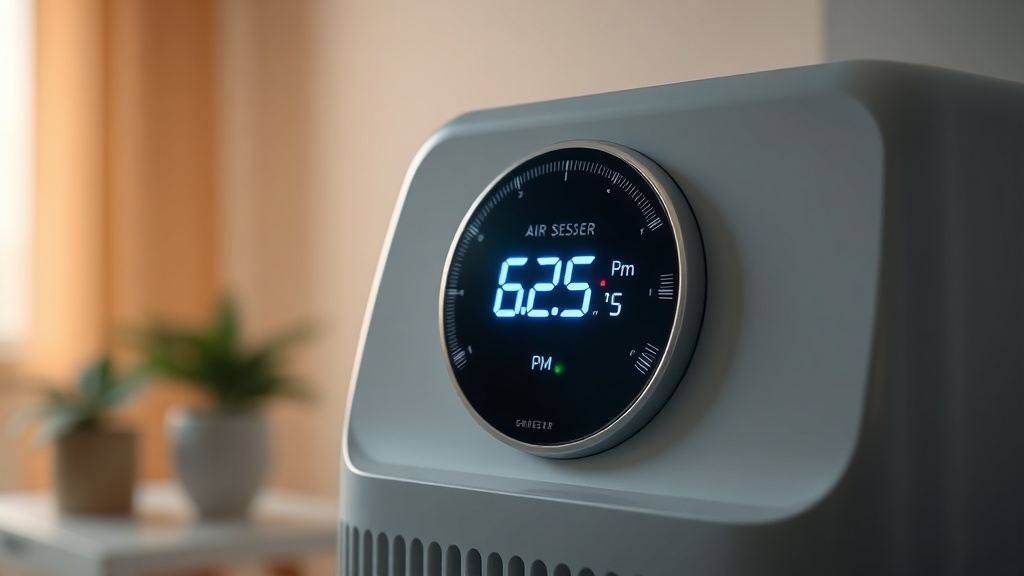
Step-by-Step: Physical Cleaning of the PM2.5 Sensor
Physical cleaning of a PM2.5 sensor requires low-pressure compressed air, a soft anti-static brush, and careful technique to avoid damaging the laser diode or photodetector — this process should be performed every six months as part of a standard maintenance schedule.
The physical cleaning procedure is non-negotiable before any software intervention. Skipping this step and jumping directly to a factory reset is a common mistake that leaves the root cause unaddressed. Follow this professional sequence:
- Power down and unplug the unit completely. Never work on a live sensor module. Allow the device to sit for five minutes so internal capacitors can discharge.
- Access the sensor module. On most premium brands (Dyson, Blueair, Coway, IQAir), the sensor is accessible via a removable panel. Consult your model’s technical manual for the exact access procedure. Do not force any panel.
- Apply low-pressure compressed air. Using a can of compressed air held at least 15 centimeters from the sensor module, deliver two to three short bursts into the intake chamber. Do not use a vacuum — the suction can damage the photodetector membrane.
- Use an anti-static brush for the lens. If compressed air alone does not remove debris visible on the optical lens, use a clean, dry anti-static lens brush with extremely light strokes. Never use isopropyl alcohol directly on the lens unless the manufacturer explicitly approves it.
- Inspect the IR window. Many sensors have a small transparent window protecting the laser and detector. Wipe this gently with a dry microfiber cloth.
- Reassemble and power on. Monitor the readings for five minutes before proceeding to the software reset.
“Regular maintenance, including the use of low-pressure compressed air, is recommended at a minimum of every six months to preserve sensor longevity and measurement accuracy in residential smart home environments.”
— Verified Best Practice, Smart Home Environmental Sensing Standards
Step-by-Step: Performing a Software Factory Reset
A software factory reset clears the sensor’s calibration memory and recalibrates the laser diode’s baseline voltage, resolving persistent firmware-level faults that physical cleaning alone cannot fix — the procedure varies by manufacturer but universally requires a specific button-hold sequence or app-based reset command.
If physical cleaning did not resolve the stuck reading, a software-level factory reset is the next professional step. This process erases the unit’s stored calibration data and forces the microcontroller to re-establish its baseline voltage reference from scratch. The specific procedure depends on your device’s manufacturer, but the professional approach is consistent across brands:
- Document current settings. Before resetting, note your Wi-Fi credentials, automation schedules, and any custom sensitivity thresholds. A factory reset will erase all user preferences.
- Locate the reset mechanism. Most premium air purifiers use one of three reset methods: a recessed reset button (requires a SIM-ejector pin or paperclip), a button-hold combination (commonly holding the power and fan speed buttons simultaneously for 10 seconds), or an in-app reset command within the device’s companion application.
- Execute the reset with the device powered on. Unlike a power cycle, a factory reset must be performed while the unit is running so the firmware can reinitialize properly. Follow your specific model’s documented procedure precisely.
- Allow a 20-minute warm-up period. After the reset, the laser diode requires a warm-up cycle to stabilize its output power. Do not evaluate sensor readings during this window — the numbers will be erratic as the system reestablishes its baseline.
- Reconnect to your smart home hub. Re-pair the device with your automation platform (Google Home, Apple HomeKit, Amazon Alexa, or a dedicated hub like SmartThings or Home Assistant) and verify that real-time PM2.5 data is streaming correctly.
- Validate with a reference device. Compare the freshly reset sensor’s readings against your reference monitor for 30 minutes. Values should track closely, with acceptable variance of ±10 µg/m³.
For homeowners who have invested in a fully integrated smart home implementation, this recalibration step is especially critical. When PM2.5 sensors feed data to HVAC controllers, Energy Recovery Ventilators (ERVs), or whole-home air management systems, even a 20 µg/m³ calibration offset can result in your ventilation system running unnecessarily or, worse, failing to activate when indoor air quality genuinely deteriorates.
Smart Home Integration: Reconnecting Your Sensor After a Reset
After a factory reset, smart air purifiers must be re-integrated with your home automation platform and all PM2.5-triggered automation rules must be re-validated to ensure that HVAC systems, ERVs, and ventilation fans respond correctly to real air quality thresholds.
Restoring a reset sensor to your smart home ecosystem is not simply a matter of re-pairing the Wi-Fi connection. As indoor air quality (IAQ) standards increasingly inform building codes and wellness certifications, the automation logic that governs your system must be deliberate and verified. CEDIA standards for home automation place particular emphasis on the importance of localized sensing for managing Indoor Environmental Quality (IEQ) — meaning the sensor data originating from each specific room should independently govern that room’s air treatment response, not just a central average.
After reconnecting your device, rebuild your automation rules systematically:
- Re-establish PM2.5 trigger thresholds. The WHO recommends an annual average PM2.5 exposure of no more than 5 µg/m³, but for automation trigger points, most professional designers set action thresholds between 12–35 µg/m³ depending on occupant sensitivity and building type.
- Test HVAC integration triggers. Temporarily spike the PM2.5 reading (using incense or a candle near the intake) and verify that the linked HVAC system or ERV activates within the expected response window.
- Enable historical logging. Ensure your smart home hub is recording PM2.5 data to a time-series database. Post-reset trending data is essential for detecting future calibration drift early.
- Set a maintenance reminder. Program a recurring task in your home management system to prompt sensor inspection every six months — aligning with the professionally recommended maintenance interval.
Smart home integration at a professional level means your air quality ecosystem should be self-diagnosing wherever possible. Many advanced platforms allow you to set alert rules for anomalous sensor behavior — for example, if a PM2.5 reading remains exactly static for more than 60 minutes during active occupancy hours, the system can send a push notification flagging a potential sensor fault. Building this intelligence into your automation logic is a hallmark of a truly high-performance residential installation.
Preventing Future PM2.5 Sensor Failures
Preventing future PM2.5 sensor failures requires a proactive maintenance schedule, strategic device placement away from high-humidity zones, and smart home monitoring rules that flag anomalous static readings before they disrupt air quality automation.
Prevention is always superior to remediation. Based on professional field experience and verified best practices, the following measures significantly extend sensor lifespan and measurement accuracy:
- Conduct bi-annual physical cleaning. Schedule sensor cleaning every six months, or more frequently in dusty environments such as homes undergoing renovation or located near high-traffic roads.
- Control placement humidity. Install air purifiers in rooms where relative humidity is actively managed. If your installation requires coverage of a bathroom or kitchen zone, specify a model with an IP-rated sensor housing designed for higher moisture tolerance.
- Use quality HEPA filters on schedule. An overloaded or bypass-prone filter dramatically increases the particulate load reaching the sensor chamber. Adhering to filter replacement intervals is directly linked to sensor health.
- Avoid placing units near HVAC supply registers. High-velocity conditioned air directed at the intake can introduce temperature differentials and moisture that accelerate sensor degradation.
- Monitor firmware update channels. Manufacturers periodically release calibration-correcting firmware updates. Enabling automatic updates ensures your sensor benefits from manufacturer-issued recalibration improvements without requiring a manual reset.
A well-maintained PM2.5 sensor is the foundational data node of a health-focused smart home. Every automated response — from an ERV activating to increase fresh air exchange, to an HVAC system modulating its filtration mode — depends on the integrity of that single data stream. Protecting it is not optional; it is fundamental to the performance contract of a professional smart home installation.
Frequently Asked Questions
How do I know if my PM2.5 sensor needs a factory reset versus just a physical cleaning?
If physical cleaning with low-pressure compressed air does not resolve a stuck or implausible PM2.5 reading within one warm-up cycle (approximately 20 minutes), a software factory reset is required. A physical cleaning addresses contamination on the optical lens, while a factory reset recalibrates the sensor’s internal baseline voltage — a software-level fault that no amount of cleaning can correct. Always perform physical cleaning first, as a reset on a contaminated sensor will simply recalibrate around an obstructed lens and produce inaccurate readings immediately after the reset completes.
Will a factory reset on my air purifier disconnect it from my smart home system?
Yes. A factory reset returns the air purifier to its out-of-box state, which includes erasing all Wi-Fi credentials, smart home hub pairings, automation schedules, and user-configured sensitivity thresholds. Before initiating the reset, document all custom settings. After the reset and the mandatory 20-minute sensor warm-up period, you will need to re-pair the device with your smart home platform (Google Home, Apple HomeKit, SmartThings, Home Assistant, etc.) and rebuild all PM2.5-triggered automation rules to restore full integration functionality.
How often should I clean my PM2.5 sensor to prevent it from getting stuck?
Professional maintenance standards recommend a physical inspection and low-pressure compressed air cleaning of your PM2.5 sensor every six months under normal residential conditions. In environments with elevated dust loads — such as homes near construction sites, rural agricultural areas, or households with multiple pets — a quarterly cleaning schedule is advisable. Additionally, any time your smart home system logs an anomalous static reading or an implausibly high PM2.5 spike, an immediate physical inspection should be triggered rather than waiting for the scheduled maintenance interval.