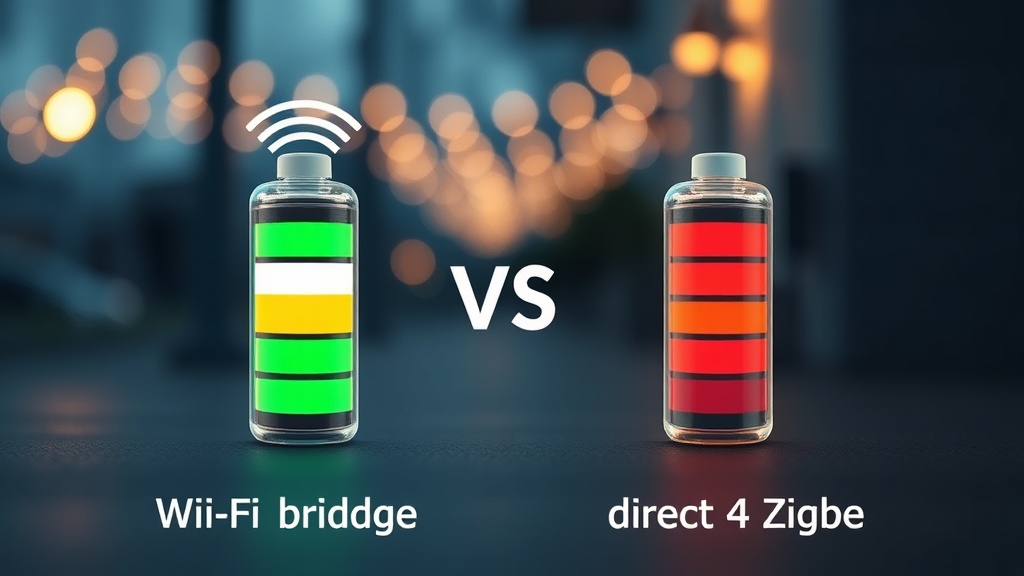
Achieving a seamless smart home integration requires a precise understanding of how wireless protocols impact battery longevity, system reliability, and long-term maintenance costs. As a CEDIA Certified Professional Designer, one of the most common frustrations I address in client installations is unexpectedly rapid battery drain — sensors going offline at inconvenient times, automation routines breaking down, and homeowners losing confidence in their systems. The root cause, in nearly every case, comes down to one critical architectural decision: choosing between a dedicated Zigbee bridge and direct Wi-Fi connectivity for battery-powered devices. This guide breaks down the technical realities behind each protocol so you can make an informed, future-proof decision for your home.
Understanding Zigbee: A Protocol Built for Efficiency
Zigbee is a low-power, low-data rate wireless mesh networking standard based on IEEE 802.15.4, engineered from the ground up for battery-operated IoT devices. Its architecture prioritizes energy conservation over data throughput, making it the professional standard for sensor-dense smart home environments.
Zigbee is not simply a “slower Wi-Fi.” It is a fundamentally different communication philosophy. Built on the IEEE 802.15.4 standard, Zigbee was designed specifically for applications where sending small packets of data infrequently is far more important than streaming high-bandwidth content. Door sensors, motion detectors, temperature monitors, and leak sensors all share one characteristic: they rarely need to transmit data, but when they do, that transmission must be instant and reliable.
The core of Zigbee’s efficiency lies in its aggressive duty cycle management. Zigbee devices spend the overwhelming majority of their operational life in a deep sleep state, consuming energy measured in microwatts — essentially negligible. When an event occurs, such as a door opening or a temperature threshold being crossed, the device wakes up for a matter of milliseconds, transmits its data packet, and immediately returns to sleep. This wake-transmit-sleep cycle is so efficient that it forms the foundation of a genuinely low-maintenance smart home.
“Battery-powered Zigbee sensors routinely achieve 2 to 5 years of operational life on a single CR2032 coin-cell battery — a performance benchmark that Wi-Fi equivalent devices cannot approach without significantly larger power sources.”
— Verified Technical Specification, IEEE 802.15.4 Protocol Analysis
This is not a minor improvement. It represents the difference between replacing a sensor battery once every four years versus recharging or swapping AA batteries every few months — a distinction that becomes enormously significant when a home has 20, 30, or 50 sensors deployed across multiple floors and rooms.
How Zigbee Mesh Networking Multiplies Its Power Advantage
Zigbee’s mesh topology allows every mains-powered device in the network to act as a signal repeater, meaning battery-powered end nodes only need to transmit data to their nearest neighbor rather than reaching a distant router — dramatically reducing the power required for each individual transmission.
One of the most strategically important features of Zigbee is its native mesh networking capability. In a traditional star network topology (as used by most Wi-Fi IoT devices), every device must communicate directly with a central access point or router. The further a device is from the router, or the more obstacles between them, the more power the device must expend to maintain a reliable connection.
Zigbee solves this problem elegantly. Every mains-powered Zigbee device — smart plugs, light bulbs, in-wall switches — automatically serves as a signal relay point for battery-powered end devices. A door sensor on the far side of your property doesn’t need to shout across the entire house to reach the hub. Instead, it whispers to the nearest smart plug three meters away, which passes the message along the mesh until it reaches the coordinator. The energy required for that short-range whisper is a fraction of what a long-range Wi-Fi broadcast would demand.
This self-healing mesh architecture also provides a significant reliability advantage. If one relay node goes offline — a bulb removed, a plug unplugged — the network automatically reconfigures its routing paths around the gap. For professional integrators managing complex installations, this self-healing behavior eliminates a major class of support calls and on-site service visits. You can explore a broader range of strategies for building resilient automation systems through resources dedicated to smart home strategy and protocol planning.
Why Direct Wi-Fi Connections Are Inefficient for Battery-Powered Sensors
Wi-Fi (IEEE 802.11) was optimized for high-bandwidth data transfer, not energy conservation. Direct Wi-Fi IoT devices must manage complex TCP/IP stacks, maintain active router associations, and execute high-current radio bursts — all of which create an unsustainable power demand for coin-cell or small battery-powered devices.
To understand why Wi-Fi is architecturally mismatched for small sensors, it helps to understand what happens inside a Wi-Fi device every time it needs to communicate. The device must first wake from sleep and re-associate with your home router — a process involving a multi-step authentication and handshake sequence. This handshake demands a significant peak current draw from the battery, even before a single byte of actual sensor data is transmitted.
Furthermore, Wi-Fi devices must actively manage a full TCP/IP networking stack. This includes IP address management, routing table maintenance, and critically, the transmission of regular “keep-alive” signals to the router to maintain their connection status. These keep-alive packets are transmitted on a timer, meaning a Wi-Fi sensor is consuming meaningful power even during periods of complete inactivity — simply to announce that it still exists on the network.
The physical consequence of this power model is visible in the hardware itself. Wi-Fi contact sensors and motion detectors are typically bulkier than their Zigbee counterparts because they must accommodate larger battery packs — often two or four AA cells — just to achieve a comparable operational lifespan. Even then, many Wi-Fi sensors require recharging every few weeks or months under normal usage patterns. In a professionally designed system with dozens of sensors, this creates an unacceptable maintenance burden for homeowners and undermines confidence in the automation system as a whole.
The Strategic Role of the Zigbee Bridge in System Architecture
A Zigbee bridge acts as a protocol translator and energy firewall, allowing battery-powered end devices to operate on ultra-low-power Zigbee radio while the bridge — permanently mains-powered — manages the high-energy Wi-Fi or Ethernet connection to the internet and cloud services.
The Zigbee bridge (also referred to as a coordinator or hub) is the architectural keystone of a professionally designed low-power sensor network. Its strategic function is straightforward but profoundly important: it offloads all high-power networking tasks from battery-dependent edge devices onto a wall-powered central unit that has unlimited energy access.
In practical terms, your motion sensor in the hallway never needs to know about cloud APIs, TLS encryption handshakes, or Wi-Fi channel selection. It simply needs to wake up, report its state change in a Zigbee packet, and return to sleep. The bridge receives that packet over Zigbee, translates it into the appropriate format, and forwards it over its always-on Ethernet or Wi-Fi connection to your home automation controller or cloud platform. The sensor’s battery is preserved because all computationally and electrically expensive operations happen on a device that draws power from the wall.
| Feature | Zigbee (via Bridge) | Direct Wi-Fi |
|---|---|---|
| Underlying Standard | IEEE 802.15.4 | IEEE 802.11 |
| Primary Design Goal | Low power, mesh reliability | High bandwidth, fast data transfer |
| Typical Battery Life (Sensor) | 2–5 years (CR2032 coin cell) | Weeks to months (AA batteries) |
| Idle Power Consumption | Microwatts (deep sleep) | Milliwatts (keep-alive signals) |
| Network Topology | Self-healing mesh | Star (hub-and-spoke) |
| Router Congestion Impact | None (separate radio frequency) | Adds to Wi-Fi device count and bandwidth load |
| Required Hardware | Zigbee bridge/coordinator hub | No additional hub (direct router connection) |
| Scalability (50+ devices) | Excellent — mesh strengthens with more nodes | Poor — degrades router performance |
| Best Use Case | Sensors, locks, contact switches | Cameras, smart speakers, displays |
Practical Design Principles: When to Use Each Protocol
Professional system design calls for a hybrid approach: deploy Zigbee for all battery-powered sensors and locks, while reserving Wi-Fi connections for mains-powered, high-bandwidth devices. This protocol segmentation maximizes both battery longevity and network performance simultaneously.
As a CEDIA Certified integrator, the practical guidance I give every client follows a consistent protocol segmentation principle. The decision framework is not about picking one protocol and applying it universally — it is about matching the right protocol to the right device category based on power availability and data requirements.
Deploy Zigbee for: door and window contact sensors, motion detectors, water leak sensors, smoke and CO detectors, smart locks, temperature and humidity probes, and any other battery-powered device that transmits small, infrequent data packets. In all of these cases, the long battery life, mesh reliability, and minimal maintenance overhead of Zigbee deliver clear, measurable advantages.
Reserve Wi-Fi for: smart displays, video doorbells, security cameras, whole-home audio systems, smart appliances, and any device that is permanently connected to mains power and requires high-bandwidth data streaming. For these applications, Wi-Fi’s superior throughput is genuinely necessary, and the power consumption penalty is irrelevant because the device is plugged into the wall.
An important secondary benefit of protocol segmentation is network health. Each Wi-Fi connected IoT device occupies a slot on your router’s device table and contributes to wireless congestion. Deploying 30 Zigbee sensors through a single bridge means your router sees exactly one additional device — the bridge itself — rather than 30 individual endpoints competing for wireless channels. This translates directly to better streaming performance, lower latency for cloud services, and a more responsive home network overall.
Long-Term Maintenance Economics of Zigbee vs. Wi-Fi Sensors
The true cost comparison between Zigbee and Wi-Fi sensor deployments must account for battery replacement labor, system downtime caused by depleted batteries, and the cumulative frustration of maintaining dozens of Wi-Fi-connected endpoints over a five-to-ten-year system lifecycle.
When homeowners evaluate smart sensor options purely on upfront purchase price, they frequently underestimate the ongoing cost of ownership. A Wi-Fi contact sensor may cost marginally less than a Zigbee equivalent at point of sale, but the economic calculation shifts dramatically when you factor in operational lifespan. A Zigbee sensor running for four years on a single CR2032 battery — which costs less than one dollar — versus a Wi-Fi equivalent requiring AA battery replacements every three months represents a substantial difference in both direct material cost and labor time across a multi-room deployment.
Beyond the economic argument, there is a reliability dimension that professional installers understand well. A sensor with a dead battery is a sensor that has silently failed. In a security context, an unmonitored door or window represents a genuine risk. Zigbee’s dramatically extended battery life means fewer silent failures, fewer gaps in automation logic, and a more trustworthy system overall — one that homeowners actively use rather than quietly abandon due to maintenance fatigue.
Frequently Asked Questions
Does a Zigbee bridge add latency compared to a direct Wi-Fi sensor connection?
In practice, no. While the Zigbee bridge introduces a translation step, Zigbee’s radio protocol transmits data in milliseconds during its wake cycle. The end-to-end latency from a Zigbee sensor event to your home automation controller is typically imperceptible in real-world use — often well under 100 milliseconds. Direct Wi-Fi sensors, by contrast, can experience latency spikes caused by the router handshake process after waking from deep sleep, which can sometimes take longer than a Zigbee mesh transmission across multiple hops.
Can I mix Zigbee and Wi-Fi devices on the same smart home platform?
Yes, and this hybrid approach is exactly what professional integrators recommend. Platforms such as Home Assistant, SmartThings, and Hubitat are designed to manage multiple protocols simultaneously. A single automation platform can coordinate Zigbee sensors (connected through a Zigbee coordinator or bridge), Wi-Fi cameras, and Z-Wave locks within the same rule sets and dashboards. Protocol segmentation by device type — not rigid single-protocol loyalty — produces the most reliable and efficient systems.
How many Zigbee devices can a single bridge support, and does adding more devices slow the network?
A standard Zigbee coordinator can theoretically support up to 65,000 nodes on a single network, though practical limits in residential installations are typically set by the hub’s processing capacity. More importantly, adding mains-powered Zigbee devices to the network does not slow it down — it strengthens it by creating additional mesh relay points, which reduce the hop distance for battery-powered end nodes and lower their individual transmission power requirements. A larger Zigbee mesh is generally a more efficient and resilient network.