Replacing the Wi-Fi Module on Smart Ovens After Self-Cleaning Cycle Heat Damage
Everyone says to just “run the self-cleaning cycle and forget about it.” They’re missing the point entirely. That convenience feature — the one your oven’s marketing brochure called a time-saver — routinely hits internal temperatures between 800°F and 1,000°F, and your oven’s Wi-Fi module wasn’t designed to sit that close to a furnace. I’ve repaired and replaced connectivity hardware across dozens of smart appliances, and self-cleaning cycle damage is one of the most misdiagnosed, most overlooked failure modes I encounter. Homeowners call their internet provider. They reset their router. They stare at their phone wondering why the SmartHQ app won’t find the oven. The answer isn’t in your router closet — it’s inside the oven door panel.
Replacing the Wi-Fi module on smart ovens after self-cleaning cycle heat damage is not a mystery if you know what to look for. But it does require honesty about what’s a weekend DIY project and what’s a call-a-professional situation. Let me walk you through both.
Why Self-Cleaning Cycles Destroy Wi-Fi Modules
The self-cleaning cycle uses pyrolytic heat — essentially burning food residue to ash — and the thermal stress it creates inside the oven cavity can exceed what nearby electronics were rated to handle, causing silent but permanent Wi-Fi module failure.
Most smart oven Wi-Fi modules are compact PCB (printed circuit board) assemblies tucked behind the control panel or inside a rear housing compartment. They’re designed to handle normal cooking heat — typically up to 200°F at the module location — because engineers account for thermal shielding during standard operation. What they don’t always adequately account for is the sustained, extreme radiant heat from a two-to-four hour self-cleaning event. That sustained exposure degrades solder joints, warps PCB traces, and — most commonly — kills the onboard antenna or Bluetooth/Wi-Fi transceiver chip outright.
The pattern I keep seeing is that the failure doesn’t always appear immediately. Homeowners run the self-cleaning cycle on a Sunday, and by Tuesday they notice the oven stopped showing up in their smart home app. They assume a software glitch. They wait. By the time they call someone, the warranty window has sometimes closed. This delay is expensive.
What surprised me was how many manufacturers are aware of this vulnerability but bury the warning in the owner’s manual under a footnote about “connectivity disruption during high-heat cycles.” GE, Whirlpool, LG, and Samsung all have service bulletins on this — but those bulletins live in technician databases, not in the box your oven came in.
How to Diagnose the Problem Before Buying Anything
Before ordering a replacement module, confirm the Wi-Fi failure is hardware-based and not a software or network issue — skipping this step wastes time and money.
Start with the obvious. Make sure your home’s 2.4GHz network is active, since most smart ovens don’t support 5GHz. Confirm your phone is on the same network band. Then check whether the control app — for GE appliances, that’s SmartHQ, which you’ll want updated to the latest version available in the Apple App Store or Google Play Store — is fully current. Outdated app versions can mimic hardware failure symptoms. I’ve seen homeowners replace a perfectly good module because they skipped this step.
After confirming software is ruled out, perform a hard reset on the oven’s control board — typically by cutting power at the breaker for 90 seconds, not just flipping the oven off. If the Wi-Fi indicator LED on the control panel doesn’t light up at all during the reboot sequence, or if the oven enters pairing mode but fails to complete handshake with any device, you’re almost certainly looking at hardware damage.
A client with a GE Profile range ran her self-cleaning cycle before a holiday dinner party — worst possible timing. Two days later, she couldn’t preheat the oven remotely while driving home from the grocery store. After ruling out network and app issues in about 15 minutes, I found the Wi-Fi module showed no power draw on a clamp meter at the module connector. Dead on arrival. The replacement module solved it completely.
Replacing the Wi-Fi Module on Smart Ovens After Self-Cleaning Cycle Heat Damage: DIY vs. Professional
Whether this repair is DIY-friendly depends almost entirely on oven brand, module location, and your comfort level with disconnecting ribbon cables without tearing them.
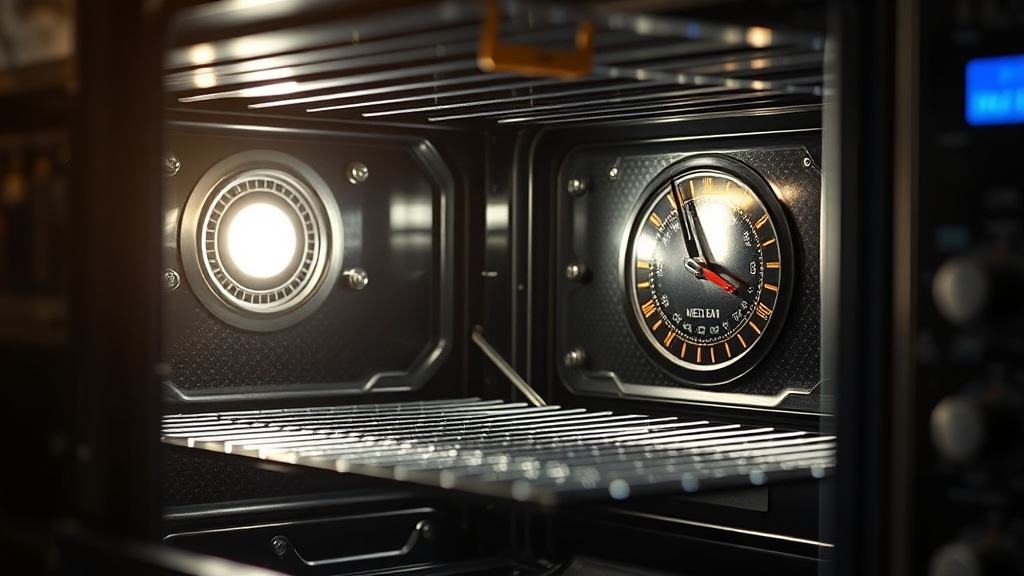
Some ovens — particularly older GE and Whirlpool models — place the Wi-Fi module in a rear access panel that you can reach with a standard Phillips screwdriver and a quarter hour of patience. The module typically connects via a single JST or Molex connector, snaps into a bracket, and is secured by two or three screws. Confident DIYers who’ve done appliance repairs before can handle this. Replacement modules from the OEM usually run between $45 and $120 depending on the model.
The clients who struggle with this are those working on newer ranges where the Wi-Fi module is integrated into the main control board assembly. In those cases, you’re not replacing a discrete module — you’re replacing the entire board, which can cost $200 to $500 in parts alone, and requires disconnecting wiring harnesses, ribbon cables, and sometimes the display panel. One wrong move on a ribbon cable and you’ve turned a $120 repair into a $700 one. That’s where you call a pro.
This is exactly the kind of repair that separates good smart home integration from guesswork — and it’s why CEDIA-certified professionals are trained not just for installation but for smart appliance troubleshooting and repair coordination. The future of integrated smart homes depends on professionals who understand both the network layer and the hardware layer simultaneously.
The turning point is usually when a homeowner pulls the control panel, sees a ribbon cable, and freezes. There’s no shame in that. Call a certified appliance technician or a smart home integration specialist at that point. Labor for this repair typically runs $100 to $200 depending on your market.
Step-by-Step: DIY Module Replacement (For Accessible Panel Designs)
If your oven has a rear-access Wi-Fi module, this process is genuinely manageable for a careful DIYer with basic tools and about 30–45 minutes.
First, cut power to the oven at the circuit breaker and leave it off for at least five minutes. Never work on smart appliance electronics with live power, even if the oven appears off. Next, locate your model’s service manual — manufacturer websites and ApplianceRepairForum.com are your best sources. Confirm the Wi-Fi module location before removing anything. Order the OEM replacement part using your model number, not a generic substitute. Generic Wi-Fi modules frequently fail to pair with the oven’s control system firmware.
With the correct part in hand: remove the rear access panel screws, locate the module (usually labeled “WIFI MODULE” or “CONNECTIVITY MODULE” on the housing), disconnect the power connector by pressing the release tab — never yank the wire — and remove the mounting screws. Install the new module in reverse order. Restore power at the breaker, and allow the oven 60 seconds to boot before attempting to pair through the manufacturer’s app.
After looking at dozens of cases, the single most common post-repair mistake is attempting to pair before the oven firmware has fully initialized. Give it time. If pairing fails after a clean installation, a firmware update through the app often resolves handshake issues with new hardware.
Preventing This From Happening Again
A few simple habits can dramatically reduce the risk of heat damage to your smart oven’s electronics during future self-cleaning cycles.
The most effective prevention is also the simplest: open the kitchen windows and run the range hood fan during the self-cleaning cycle. This doesn’t lower the oven cavity temperature, but it reduces the ambient heat that accumulates around the control panel area where the module lives. Some technicians also recommend placing a damp (not wet) towel loosely over the oven’s rear vent area during cleaning — though check your manual first, as some brands explicitly advise against blocking vents.
Never run a self-cleaning cycle in a room where the ambient temperature is already high. Summer cleaning in a non-air-conditioned kitchen is asking for trouble. And if your oven is older than five years, check whether the manufacturer has released a firmware update that manages module thermal throttling during cleaning cycles. Several brands have quietly pushed these updates after recurring warranty claims.
For ongoing smart home strategy that goes beyond individual appliance fixes, the smart home strategy guides here cover how to build resilient, upgrade-friendly systems from the ground up — so you’re not constantly reacting to failures like this one.
Summary Comparison: DIY vs. Professional Wi-Fi Module Replacement
Here’s everything we’ve covered in one place so you can make a clear decision before touching a single screw.
| Factor | DIY Approach | Professional Repair |
|---|---|---|
| Typical Cost | $45–$120 (parts only) | $150–$320 (parts + labor) |
| Time Required | 30–60 minutes | 1–2 hour service visit |
| Best For | Rear-panel accessible modules, confident DIYers | Integrated control board designs, ribbon cable assemblies |
| Risk Level | Low-to-medium | Low (handled by certified tech) |
| Warranty Impact | May void remaining warranty | Usually preserves warranty if OEM-authorized |
| Diagnosis Accuracy | Moderate — easy to misdiagnose | High — technician uses diagnostic tools |
| Parts Source | OEM website, RepairClinic | Direct OEM via service channel |
FAQ
Can I use a universal Wi-Fi module instead of the OEM part?
Generally, no. Smart oven Wi-Fi modules are firmware-paired to the specific control board and manufacturer ecosystem. A universal module may power on but will almost certainly fail to complete the pairing handshake with the oven’s main board. Always use the OEM replacement part matched to your exact model number. The third time I encountered a “failed repair” call, it turned out the homeowner had ordered a compatible-looking module from a third-party seller — it fit the bracket perfectly and did absolutely nothing.
Does running a self-cleaning cycle always damage the Wi-Fi module?
Not always — many ovens survive multiple cleaning cycles without connectivity issues. The risk is higher with older units, units where the module is closer to the oven cavity, and in kitchens with poor ventilation that trap ambient heat around the control panel. High-end brands like Thermador and Wolf typically place electronics in more thermally protected locations, reducing this risk significantly.
How do I know if my module is covered under warranty?
Check your original purchase warranty for electronics coverage — most major brands offer a one-year limited warranty on electronic components. However, damage caused by self-cleaning cycles is frequently classified as misuse or user-induced damage, even when the manual doesn’t clearly warn against it. Call the manufacturer’s support line before assuming coverage or out-of-pocket expense. Document the failure timeline relative to your last self-cleaning cycle — that context matters when you’re making a warranty claim.
References
- GE Appliances — SmartHQ App Troubleshooting and Updates
- CEDIA — Smart Home Professionals and Workforce Development
- Smart Living Logic — Smart Home Strategy
If self-cleaning cycle heat damage is this common and this misdiagnosed — and manufacturers know about it — what does it say about how honestly smart appliance companies are communicating the real costs of ownership to the people buying these products?