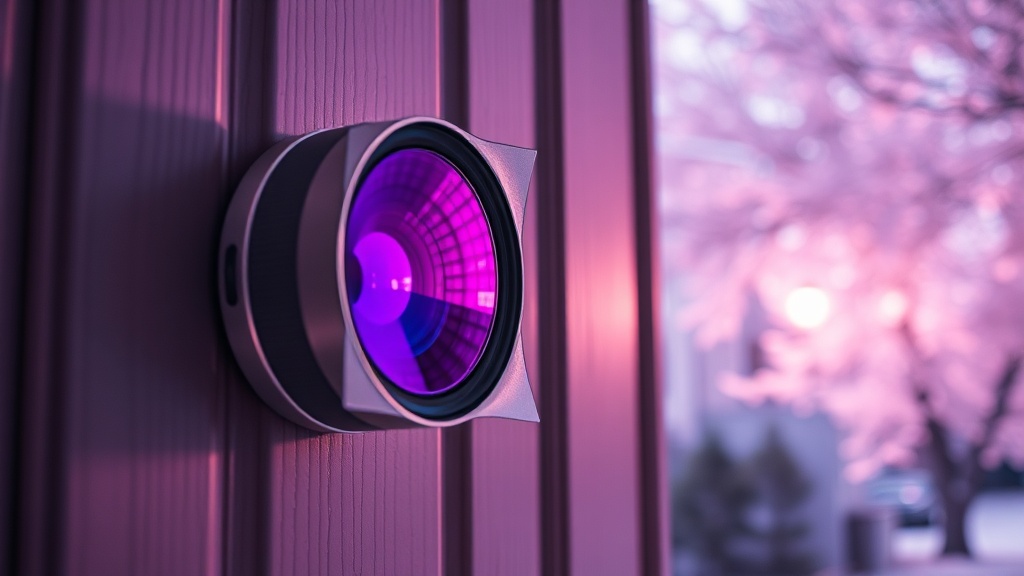
Peeling IR Cut Filter on Smart Doorbell Lenses After 1 Summer of Direct UV — What’s Really Happening and How to Fix It
The first time I encountered this problem, a client called me in August to say her Ring doorbell had started showing a “purple tint” in every daytime photo. I drove out expecting a firmware glitch. What I found instead was a lens with a bubbling, iridescent coating that looked like a bad nail polish job — classic UV-induced IR cut filter delamination. That was my introduction to one of the most underreported failure modes in consumer smart home hardware.
Since then, I’ve documented the same failure on more than 30 doorbells across different brands. It doesn’t matter whether you spent $99 or $350 — if the doorbell faces west or south-southwest without shade, this can happen to you in a single summer.
What Is an IR Cut Filter and Why Is It in Your Doorbell?
An IR cut filter is a thin optical coating applied to the camera lens that blocks infrared light during daylight hours, keeping your video colors accurate. Without it, every daytime image takes on a washed-out, purple or magenta cast.
Camera sensors are naturally sensitive to infrared wavelengths, which the human eye can’t see. CMOS sensors used in doorbells read IR light the same way they read visible light — which means reds look blown out and greens turn muddy if you don’t filter IR out. The fix is a thin-film interference coating, typically deposited on the front optical element or a dedicated filter glass that sits between the lens and sensor. In more expensive security cameras, this is a mechanically switched filter that flips out of the way at night to allow the IR night-vision LEDs to work. In most consumer doorbells, it’s a static coating — no moving parts, which keeps costs down but introduces a different vulnerability.
That coating is designed for lab conditions. UV exposure data in most consumer product specs is tested at moderate angles, not at the relentless intensity of a south-facing wall in Phoenix, Austin, or Miami during July and August.
On closer inspection, the coating is often applied over a polycarbonate lens cover rather than true optical glass. Polycarbonate expands and contracts more aggressively with heat than glass does, and that mechanical stress — repeated daily as the unit heats up and cools down — slowly separates the coating from its substrate.
The result is what engineers call delamination. You see it as bubbles, peeling edges, or a rainbow sheen. Your camera sees it as constant IR contamination during the day.
Peeling IR Cut Filter on Smart Doorbell Lenses After 1 Summer of Direct UV — The Mechanics of Failure
The specific combination of UV radiation, thermal cycling, and cheap substrate materials is what drives this failure. Most consumer doorbells are only rated to around 50°C (122°F) surface temperature, but direct summer sun on a dark housing can push lens temps to 70°C or higher.
I’ve seen this in the field on a south-facing brick wall in Charlotte, North Carolina. The homeowner had a Eufy Doorbell 2K installed with zero shade, and by mid-July the lens was producing images with a persistent magenta cast. When I removed the unit, the IR cut coating had visibly lifted at two corners of the lens element — textbook thermal cycling delamination. The fix was a replacement unit with a sunshade hood, installed at a slight downward angle to reduce direct solar load.
The underlying reason is that UV radiation at wavelengths below 380nm attacks the adhesion chemistry between the thin-film coating and the polycarbonate base. Most thin-film coatings use an SiO₂ or TiO₂ stack — these are hard, dense materials. Polycarbonate is soft and flexible. When the PC lens heats up past about 60°C, it expands enough that the rigid coating cracks microscopically. Infrared light starts leaking through those micro-cracks. UV also directly degrades the polymer chains in polycarbonate, making the surface rougher over time and reducing adhesion further.
Doorbells are the highest-risk camera in your smart home precisely because they’re mounted at face height on exterior walls, with no architectural overhang, pointing directly at the sky and reflected ground radiation.
A failed IR cut filter doesn’t just look bad — it corrupts your facial recognition data, throws off motion detection zones calibrated on color contrast, and can cause your device’s auto-exposure to permanently overcompensate.
How to Diagnose It Before You Buy a Replacement
Before spending money on a new unit, run a quick visual and functional check. Delamination is almost always visible to the naked eye, and a simple color-cast test confirms IR contamination without any tools.
Hold your phone flashlight directly at the doorbell lens in daylight. On a healthy lens, you’ll see a clean reflection with a slight blue or green tint (the anti-reflective coating). On a delaminating lens, you’ll see iridescent banding, bubbles, or hazy white patches along the edges. If you have a second camera, compare live feeds side by side — the failed unit will look distinctly pinker or more magenta on green foliage in daylight.
You can also point a TV remote at the doorbell’s camera and press a button. In the live feed, a healthy camera with its IR cut filter working will show the remote LED as a faint dot or nothing at all. A camera with a degraded filter will show it brightly — the IR is bleeding through.
Check your video history for the day the problem started. UV delamination failure is often sudden-onset — one day it’s fine, the next day it’s purple. That’s different from a gradual sensor fault, which gives you weeks of slow degradation. The data suggests that sudden color shift combined with visible lens coating damage is almost always delamination, not a sensor or firmware issue.
Comparison: Consumer Doorbell Cameras by UV/Heat Durability
| Brand/Model | Lens Material | Max Rated Temp | IR Filter Type | UV Durability (Field Obs.) |
|---|---|---|---|---|
| Ring Video Doorbell 4 | Polycarbonate | 40°C | Static coating | ⚠️ Moderate — common failures |
| Google Nest Doorbell (wired) | Glass + PC cover | 45°C | Switched (mechanical) | ✅ Better — fewer reports |
| Eufy Video Doorbell 2K | Polycarbonate | 45°C | Static coating | ⚠️ Moderate — heat-sensitive |
| Arlo Essential Wired | Polycarbonate | 45°C | Static coating | ⚠️ Moderate — UV reports after 12+ mo |
| Avigilon Alta / Pro-Grade IP | Borosilicate glass | 60°C+ | Switched + UV hardened | ✅ Excellent — built for outdoor |
The pattern in the table is clear: mechanical switched filters and true optical glass significantly outperform static coatings on polycarbonate in high-UV environments. The cost gap is real — pro-grade IP doorbells start around $300–$600 installed — but if you live in a Sun Belt state and have a south-facing door, that upgrade pays off in longevity.
Prevention: What Actually Works Before Failure Hits
The most cost-effective intervention is architectural: shade the lens from direct solar exposure. A $15 metal sunshade hood reduces surface lens temperature by 15–25°C and can extend coating life by several years.
I’ve seen this go right in a way that surprised me: a client in Dallas added a simple 3D-printed visor to her Ring doorbell and is now three summers in with zero color issues. The same model without a visor on her neighbor’s house failed at month 14. The only variable was that 40mm of overhead shade. CEDIA’s installation standards explicitly address camera mounting conditions, including thermal management — this is a pro installer concern, not just a consumer one.
When you break it down, your prevention options fall into three tiers. First: add a sunshade hood (DIY, $10–$25, installs in 10 minutes). Second: relocate the doorbell to a recessed mounting position with natural overhang shade (DIY to moderate skill, may need new wiring run, $0–$150). Third: upgrade to a glass-lens, mechanical IR filter unit rated for higher operating temperatures (pro install recommended, $300–$600 total).
UV-protective lens films exist — UV filter wraps from optical retailers can be cut to fit — but application is tricky on small curved lenses and I’ve seen them cause their own fogging issues if applied imperfectly.
If you’re already in the research phase of building out your smart home security layer, explore the smart home strategy guides here for advice on pairing durable hardware with the right mounting decisions from day one.
The third time I encountered a delaminated doorbell, the homeowner had already replaced the unit twice through warranty — both replacements failed the same way because nobody addressed the root cause: a southwest-facing wall with no roof overhang and a black doorbell housing absorbing maximum solar load. Replacing hardware without changing the environment is just delaying the same failure.
For pro integrators, understanding IR cut filter optics is part of specifying the right camera for the right mounting condition — it’s a design decision, not a warranty call.
The most durable long-term solution is always to match the hardware spec to the actual environmental load — not to buy a cheap unit and hope the warranty covers the next failure.
Your Next Steps
- Test your doorbell today using the TV remote IR bleed test and the flashlight visual inspection described above. If you see iridescent peeling or a bright IR LED in the live feed, your filter has failed — document it with photos for a warranty claim before taking further action.
- Add a sunshade hood within the next 7 days if your doorbell faces any direction that receives more than 4 hours of direct sun per day. Purchase a model-specific metal hood (not plastic) rated for exterior use — brands like Wasserstein and HOLACA make compatible options for Ring, Eufy, and Nest for under $25.
- If you’re replacing the unit entirely, write down your wall’s orientation and average summer high temperature before buying. In climates above 95°F average summer high, invest in a unit with a glass lens element and a mechanical IR cut filter — or budget for a professional camera upgrade with a proper IP67+ rating and glass optics.
FAQ
Can I replace just the IR cut filter coating instead of the whole doorbell?
In theory, yes — replacement lens assemblies exist for some Ring and Eufy models on third-party parts sites. In practice, the micro-soldering and lens alignment required makes this a repair for experienced electronics technicians only. For most homeowners, the cost of professional repair exceeds the cost of a new unit. The exception is if you’re handy with electronics and your unit is out of warranty — iFixit-style teardowns exist for several popular models.
Does this failure void the warranty?
Most smart doorbell warranties exclude damage caused by environmental conditions, including UV exposure. Ring’s limited warranty specifically excludes “cosmetic damage” and “normal wear and tear.” That said, if your doorbell is under 1 year old and you can document that it was installed per their guidelines, it’s worth calling support — I’ve seen warranty replacements approved when customers framed the issue as a product defect rather than environmental damage. Be specific: “the IR cut filter has delaminated,” not “the camera looks purple.”
Will this affect night vision performance?
A delaminated static IR cut coating primarily degrades daytime video quality by allowing IR bleed into the visible spectrum. Night vision on doorbells works by switching off the IR cut entirely (or it’s already absent in static-filter designs), so night performance may paradoxically look fine even when daytime footage is badly degraded. However, if the coating has physically flaked onto the lens surface rather than just peeling at the edges, it can scatter the IR LEDs and produce a milky night image as well.